Lawn Buddy Management Software
- 4.0
- Rating
- 10.00K
- Installs
- Free
- Price

 Analysis by App-foxy
If you run a lawn-care business, the workday rarely gets difficult because of mowing itself. The pressure usually comes from the small tasks around it: remembering which customer needs service, keeping the crew informed, following up on a quote, and turning completed work into a clean record. Lawn Buddy Management Software is built for that side of the business. I found it most useful as a practical organizing tool rather than as a general business app with lawn care added as an afterthought.
The app comes from Lawn Buddy, LLC and sits in the Business category. It is free to install, with optional in-app purchases ranging from $12 to $360 per item. Its audience rating is Everyone, so the app is presented as suitable for a broad audience, although its real value is clearly aimed at lawn-care operators and teams. The current version is 6.0.323, and it runs on operating systems from version 7.1 onward.
What to expect when you open Lawn Buddy
I would not approach this as a consumer lawn-maintenance guide or a simple checklist. The central idea is to bring customer and service administration into one working routine, reducing the repeated office tasks that can quietly consume a large part of the day. That makes it relevant to solo operators, small crews, and growing companies that have started to outgrow notebooks, text messages, and scattered spreadsheets.
You May Also Like

 AccuWeather: Weather Radar
AccuWeather Review: A Quick, Clear Forecast for Everyday Decisions
For everyday plans, the best forecast is the one you can understand quickly. AccuWeather makes rain timing, radar, and local conditions easy to act on, with a few trade-offs.

 Hill Climb Racing
Why Hill Climb Racing Still Turns Crashes Into One More Run
A tiny car, a bumpy hill and one more upgrade: Hill Climb Racing keeps resurfacing because its simple chaos makes every near-miss feel personal.

 AliExpress - Shopping App
AliExpress Makes Global Shopping Feel Personal, but Shoppers Bear the Risk
AliExpress turns a global marketplace into a pocket-sized discovery engine. Its reach is useful, its shopping loop compelling, and its trade-offs easy to miss.

 Lords Mobile: Kingdom Wars
Lords Mobile Is a Kingdom-Building Routine, Not a Quick Match
A case-by-case verdict on the building, battles, device demands, and social commitments that make Lords Mobile rewarding for some players and exhausting for others.

 PDF Scanner app - TapScanner
TapScanner Makes Paperwork Easier to Capture, Check, and Share
TapScanner makes scanning with a phone feel less like a rescue operation and more like a dependable step in getting work done. Its capture tools are useful, though not flawless.

 Block Blast!
Block Blast! Shows How Much a Puzzle Game Can Leave Out
A quiet grid game shows why puzzle players increasingly value instant clarity, repeatable skill and low-pressure play—and where the genre still needs to catch up.
More From Our News Desk
View All News


The app has a practical character. You are not installing it for entertainment or for a polished visual dashboard alone; you are installing it because missed details cost time and can make a reliable service business look disorganized. The best way to judge it is therefore by asking whether it helps you move from a customer request to scheduled work, then from completed work to the next business action with less mental juggling.
Its public store presence shows a 4.0 average from roughly 164 ratings, with about 100 written reviews and more than 10K installs. Those figures suggest a real but focused user base rather than a mass-market app. I read that as a useful signal for expectations: this is a specialized tool with enough adoption to be established, but it should be evaluated against your own workflow instead of assumed to fit every landscaping company.
The first meaningful success is not filling every screen with information; it is completing one real customer workflow without returning to three other apps. If Lawn Buddy helps you keep a request, its related service details, and the next action together, you are already testing the part that matters most.
Who will get the most from it
I think the strongest match is a lawn-care owner who still handles several roles personally. If you answer customer messages, organize visits, coordinate workers, and keep track of business follow-up, the app can give those responsibilities a shared home. It is also worth considering when your business has enough recurring work that memory is no longer dependable, but not enough administrative staff to justify a large, complex business-management platform.
A small team can benefit for a different reason. When information lives only in the owner’s phone, every change becomes a message that someone must send and someone else must interpret. A dedicated lawn-care system can make the operating process more deliberate. That does not automatically solve communication problems, but it gives the team a better place to begin than a stream of informal messages.
I would be more cautious if you only need a basic calendar. A standard calendar may be faster for a person with very few clients and no desire to track a broader service process. I would also hesitate if your company needs a deeply customized enterprise system, extensive accounting controls, or workflows outside lawn care. Lawn Buddy’s focused purpose is an advantage for ordinary lawn-service administration, but focus can become a limitation when the business has unusual requirements.
Starting with a clean first setup
My advice is to resist the temptation to enter your entire customer history immediately. Begin with a small, current slice of the business: one active customer, one upcoming service, and the details you need to act on that service. This keeps the first session understandable and lets you see whether the app’s structure matches the way you actually work.
Before adding anything, decide what you want Lawn Buddy to replace. If the answer is “some notes, a few messages, and the reminders I keep in my head,” write down the specific handoffs involved. For example, a new request may begin as a phone conversation, become a quote, turn into scheduled work, and later require a follow-up. Thinking in handoffs helps you judge whether the app is reducing duplication or simply giving you another place to type the same information.
Use consistent customer naming from the start. This sounds minor, but inconsistent labels are one of the quickest ways to make a business-management app feel confusing. Choose a simple convention and keep it stable. Add the information you would need if another person had to understand the job without calling you for clarification. That might include service context, timing, and the next action that matters, rather than a long paragraph of background.
The same principle applies to service entries. Keep the first few records specific enough to be actionable. “Front yard” is less useful than a clear description of what the customer expects, while a huge note full of every historical detail can slow down the person who needs the information in the field. I found that the best records are written for the next decision: what needs to happen, for whom, and what should happen afterward.
Because the app is free to install but offers paid items inside it, I would also take a moment to understand what your intended workflow requires before committing to a larger setup. The listed in-app purchase range is $12 to $360 per item, so the difference between a light trial and a substantial business expense can be meaningful. I would test the basic path first and only consider paid options after confirming that the app fits your operation.
A realistic first-day routine
Imagine a customer calls in the morning asking for regular lawn service. Instead of leaving the request in a call log, I would create or locate the customer in Lawn Buddy, record the service need in plain language, and identify the next step while the conversation is still fresh. If the next step is preparing a quote or arranging a visit, I would make that action visible immediately rather than relying on a later memory.
Once the work is arranged, the useful test is whether you can return to the same customer context without searching through messages. After the visit, record the outcome while it is still easy to remember. If a follow-up is needed, treat it as part of the job rather than as a separate personal reminder. This is the kind of small discipline that turns software into an operating habit.
The advantage is not that one tap magically runs the business. The advantage is that the app can encourage a repeatable chain: customer request, service decision, work coordination, and follow-up. For a solo operator, that chain protects attention. For a team, it creates a clearer shared reference point.
Completing the first successful action
For a first meaningful test, choose a customer who already has an upcoming need. Avoid using a complicated account with several open questions. The goal is to learn the path, not to recreate your entire business in one sitting. Enter the customer information you genuinely use, connect it to the immediate lawn-care task, and leave the record in a state that tells you what to do next.
Then close the app and return to the record later. This simple check is more revealing than entering information continuously. Can you recognize the customer quickly? Can you tell why the record matters today? Can you see the next action without rereading everything? If the answer is yes, you have found a workable routine. If not, adjust how you write entries before adding more customers.
One non-obvious benefit of this approach is that it exposes whether your problem is software or process. Many owners think they need more features when the real issue is that every job is recorded differently. Lawn Buddy can support organization, but it cannot decide which details your business considers essential. Establishing a short internal standard—customer identity, service need, timing, and follow-up—makes the app more useful and makes staff training easier.
Another useful habit is to update records at the end of the service cycle, not several days later. Delayed entry creates uncertainty: was the visit completed, was something left unresolved, or did the customer request a change? A quick, consistent update protects the accuracy of the system. This matters especially when weather, staff availability, or customer requests cause the day’s plan to change.
Where the app can save more than time
Organization has a customer-facing effect. When you can answer a question without asking the customer to repeat the entire history, the business feels more dependable. That does not require elaborate automation. It requires a reliable record and a habit of keeping it current. Lawn Buddy’s usefulness is strongest when it helps turn that reliability into a routine rather than leaving it to personal memory.
It can also help separate urgent work from important follow-up. A crew may finish the physical service while the business still needs to contact the customer, confirm a future visit, or handle a quote. Treating those as separate steps prevents the common mistake of assuming that completed field work means the customer relationship is fully handled.
For a growing operator, this separation is valuable. You can think about the day’s work in two layers: what the crew needs to do and what the office needs to remember. Even if one person performs both roles, keeping those mental categories distinct reduces the chance that administrative work disappears behind the next appointment.
Common confusion and practical limitations
The first source of confusion is likely to be expectation. A lawn-care management app is not the same as a full accounting package, a general project-management suite, or a simple calendar. If you expect one tool to replace every business system, you may find the focused design restrictive. If you use it for the lawn-service workflow it is intended to organize, the narrower scope makes more sense.
The second issue is data discipline. Any management app becomes less trustworthy when entries are incomplete or inconsistent. If one worker records a completed job and another only sends a message, the team can still end up with conflicting versions of reality. I would create a short rule for everyone: update the customer record after a meaningful change, write the next action clearly, and avoid leaving important decisions only in private conversations.
There is also a trade-off between speed and detail. Adding more information can make a record more useful later, but it can also make the immediate workflow slower. For everyday lawn service, I prefer a compact record that answers the operational questions first. Add detail when it changes what someone will do, not simply because the field is available.
The paid structure deserves attention too. Free installation lowers the barrier to testing the app, but the in-app purchase range means a serious rollout should be treated as a business decision. I would not migrate all customer information or ask a whole team to change habits until I had tested the specific features and purchase level the company needs. That is not a criticism unique to Lawn Buddy; it is simply good practice when software costs can scale with the way you use it.
Compatibility is another practical consideration. The app supports operating systems from version 7.1, which covers older devices, but businesses should still test the actual phones used by the owner and crew. A minimum operating-system requirement tells you whether installation is possible; it does not tell you how comfortable the workflow will feel on every device. A field worker who struggles with an older phone may skip updates, and skipped updates weaken the whole system.
I would also skip this app if your work is mostly one-off landscaping projects with extensive plans, materials, and subcontractor coordination. In that situation, a project-management tool designed for larger jobs may be a better center of operations. Lawn Buddy makes more sense when recurring lawn-care administration is the core problem and you want a focused way to organize it.
How it compares with familiar alternatives
The usual alternative for a small operator is a combination of a calendar, spreadsheet, phone contacts, and messaging. That combination can work at first because each tool is familiar. Its weakness is the handoff between tools. Customer details live in one place, schedule information in another, and follow-up reminders somewhere else. The owner becomes the connection between them.
Lawn Buddy’s appeal is that it is designed around the lawn-care business rather than asking you to build that structure yourself. The trade-off is that a spreadsheet is easier to customize for unusual fields, while a general calendar may feel quicker for a very small workload. If your current system is genuinely clear and nothing gets missed, changing tools may not be worthwhile. If you repeatedly search messages or reconstruct job history, a focused app has a stronger case.
Compared with a large all-in-one business platform, Lawn Buddy should feel more approachable for a small lawn-care operation because its purpose is narrower. A larger platform may offer deeper customization and broader financial or operational coverage, but it can also demand more setup and administration than a small team wants. I would choose the larger option only when those extra areas are central to the business, not merely because the feature list is longer.
Making the next step worthwhile
After the first successful customer workflow, expand gradually. Add a handful of active customers with different situations: one routine service, one customer awaiting follow-up, and one account with a change to the usual plan. This tests whether your process survives variation. It also shows which information your team repeatedly needs and which details were unnecessary.
Next, decide who owns updates. If everyone is responsible in a vague way, no one is reliably responsible. A solo operator can attach the update to the end of each service day. A small team may need one person to check that customer records reflect important changes. The app can hold the information, but the business still needs an operating rule for keeping it accurate.
I would then review the workflow after a normal week, not after an unusually quiet day. Look for three things: repeated entry, missing follow-ups, and records that another person could not understand. These observations are more useful than asking whether the app “has enough features.” They tell you whether Lawn Buddy is actually reducing friction in your business.
One advanced but simple use is to treat every customer record as a handoff document. Write it so that the next person can continue the work without needing the original conversation. This is particularly helpful when the owner is away, when a crew changes, or when customer requests arrive during a busy service window. It also exposes weak processes early, because unclear records reveal unclear decisions.
Another trade-off is deciding when not to automate. A routine task may be ideal for a repeatable workflow, while a sensitive customer complaint may require a personal conversation and careful judgment. Use the app to preserve context and the next action, but do not let a structured record replace the human response that the situation needs.
In my experience, Lawn Buddy Management Software is most convincing when viewed as a central organizer for lawn-care operations, not as a promise to eliminate every administrative task. It can be a sensible starting point for an owner who has outgrown scattered notes and wants a business-specific routine. Its focused nature, free installation, and broad age rating make it approachable to try, while the paid options mean a larger commitment should follow a real workflow test.
I would recommend giving it a careful trial if your main pain is losing track of customer requests, service progress, or follow-up. Start small, keep records consistent, and judge it by whether the next action becomes clearer. If your needs are limited to a basic calendar, or if your company requires highly customized project and financial management, another category of tool may suit you better. For the lawn-care operator who wants fewer loose ends without beginning with an oversized system, Lawn Buddy Management Software is a focused option worth exploring.
FAQs for Lawn Buddy Management Software
01What is Lawn Buddy Management Software used for?
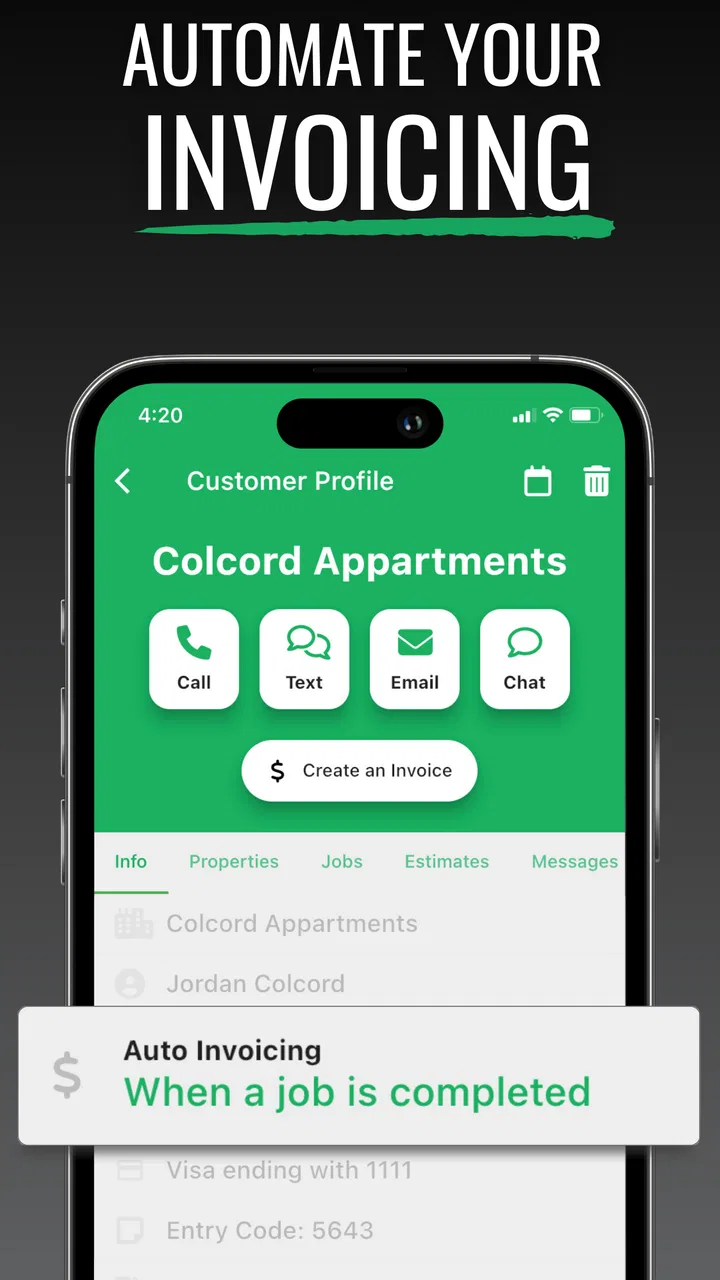
Lawn Buddy is a business management platform designed for lawn-care, landscaping, and other field-service companies. It helps organize customers, properties, jobs, estimates, invoices, payments, schedules, and team communication in one place. Instead of relying on separate spreadsheets, messaging apps, and paper records, businesses can use it to manage daily operations and keep service information connected.
02Is Lawn Buddy suitable for small lawn-care businesses or only larger companies?
Lawn Buddy can be useful for both small businesses and growing landscaping companies. A solo operator may use it to track customers, create estimates, schedule visits, and send invoices, while a larger team can benefit from employee coordination, route planning, job oversight, and centralized records. The best fit depends on the company’s workflow, service volume, and preferred subscription features.
03Can Lawn Buddy help manage employees and field-service schedules?
Yes. The software is built to support field-service coordination by allowing businesses to assign work, organize schedules, and share job details with employees or crews. This can make it easier to know which properties require service, when visits are planned, and what tasks need to be completed. Availability and depth of specific scheduling or team-management tools may depend on the selected plan.
04Does Lawn Buddy include estimates, invoicing, and payment management?
Lawn Buddy includes business tools intended to simplify the customer-to-payment process, including estimates, invoices, and payment-related workflows. These features can help a company present pricing, document completed work, request payment, and keep financial records connected to customer accounts. Before subscribing, businesses should review the current plan details, payment processing options, and any applicable transaction fees.
05Can customers use Lawn Buddy to communicate with a lawn-care company?
Lawn Buddy is designed to improve communication between service businesses and their customers by keeping property details, job information, estimates, invoices, and service updates organized. Depending on the company’s setup and the features included in its plan, customers may receive notifications, review service information, or interact with the business through available communication tools. The exact customer experience can vary by provider configuration.
Pros
- Centralizes lawn-care scheduling
- customer records
- and job details in one place.
- Automates reminders and notifications
- helping reduce missed appointments.
- Useful tools for tracking estimates
- invoices
- payments
- and service history.
- Can improve communication between lawn-care businesses and their customers.
- Helps organize recurring maintenance plans and seasonal service workflows.
Cons
- Some advanced features may require a paid subscription or higher-tier plan.
- The interface can feel overwhelming while learning the many management tools.
- Requires consistent data entry to keep schedules
- records
- and finances accurate.
- Smaller businesses may not need all of its features for basic lawn-care work.
- Performance and available features may vary depending on device and internet connection.

Lawn Buddy Management Software
Gallery